
Automated Social Media Feed
In some cases we can provide an automated social media feed service for our client.
Iker Muris, is in charge of configuring the link between our system and the client's social media.
Once configured we can post content on our client's social media.
We manage this via the Mepax website under the customer private access - press file part.

As we have seen before by clicking on IN PROGRESS, you access the press files listing of your client.

Click on the press file in blue and you access the client press file manager. Then we can post 2 types of content.
- Press files (Press Documents)
- Published articles (Uploaded clipping)
For example, I select the press file above "Valkyrie" from Verlinde and I open its press documents.
Then by clicking on the RSS icon as shown below in orange, the content will be sent to your client feed and automatically posted on the client's social media, previously configured.
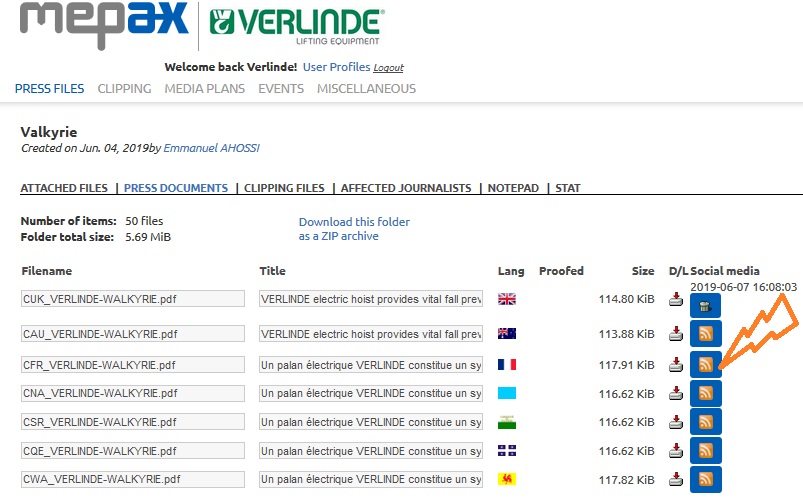
Once done the date appears as displayed above with the UK version. To post a clipping file, follow the same process under clipping files.
You can see the result below on Verlinde Lifting Twitter.
