How to send your Press release?
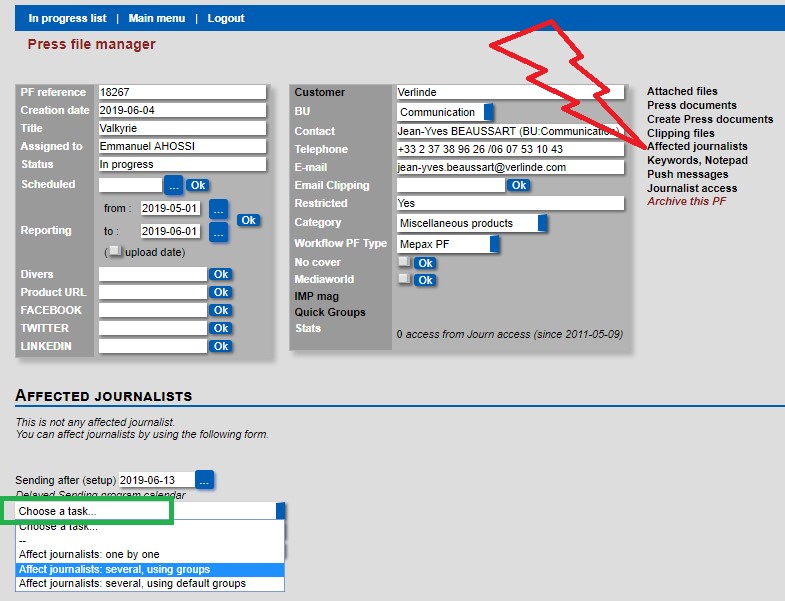
In your created press release, select Affected journalist as shown below in red. Then select choose a task displayed below in green and by scrolling in the drop-down box, select “Affect journalists: several, using groups” as shown below in blue.
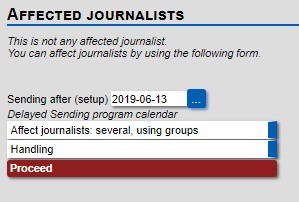
Now select your first quick affectation group and click in Proceed as shown below:
Please note, if you have already created a press file for this client the database will remember the Quick affectation you previously used. To change this, you need to hold down the control button on your keyboard and select or deselect quick group as required, then click change as shown below in green.
- IMPORTANT: if you do not know which Quick affectation group to choose, you must ask Fadi: ghadban@mepax.com
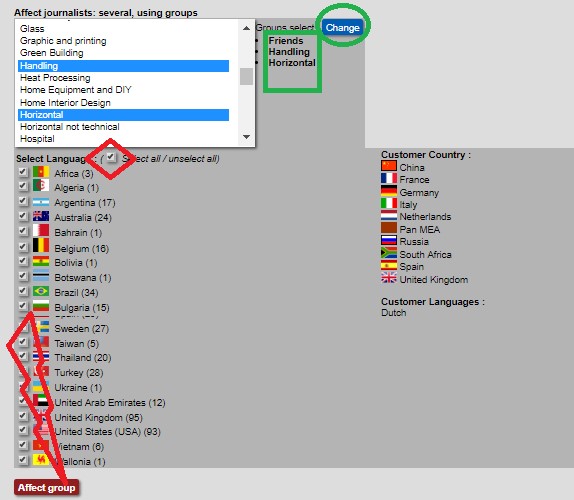
So do not forget, you must unselect the select all languages box shown above in red, then reselect the countries that you need to send out the press release to. When you are sure of your country selection, please click on the Affect group button as shown above in red. Once clicked you will be redirected back to the Affected journalists page. Now you have created your media listing and it is ready to send out. The J Status below means that the press file has not been sent.
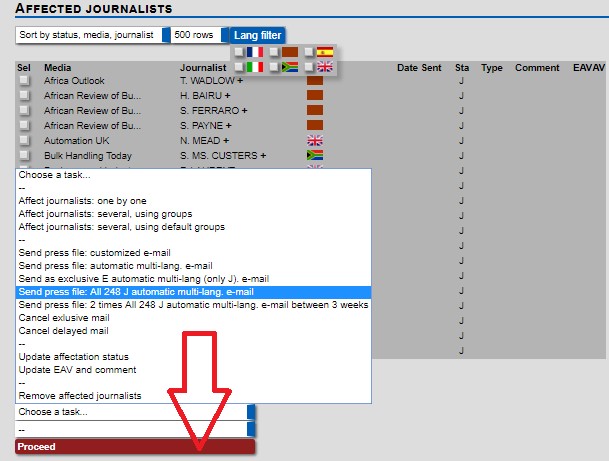
To send your press file select choose a task and by scrolling in the drop-down box select “Send press file: all (number of journalists) J automatic multi-Lang e-mail, as displayed above in blue, once you have clicked on it you can select to send your press file with the next sending, or choose another day if needed. Then click Proceed in red. At this step your press release is programmed to send out. The status has changed to JD as shown below in red.
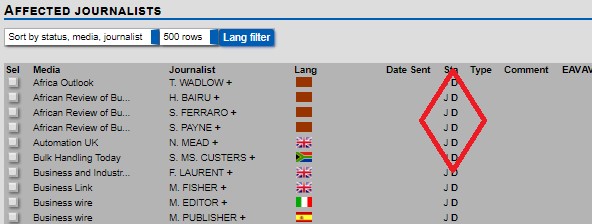
JD status means that your press file has been program to send out.
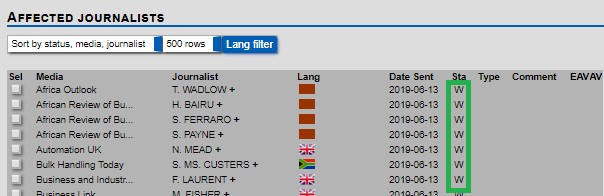
Once your press release has been sent out the status will change to W. It means that your press file has been sent as shown below in green.
You will find 3 more statuses:
- A: means that the journalist has answered that he/she will write an article on the press file.
- Y: means that the journalist has written an article that we have uploaded into the system.
- N: means that the journalist is not interested to publish your press release.
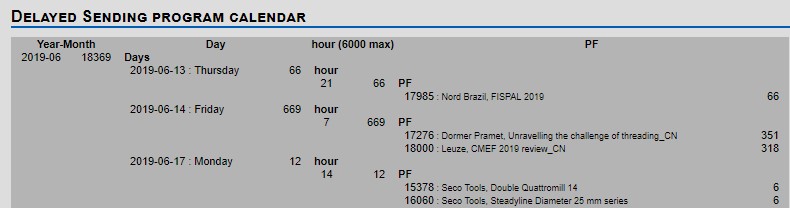
- Please also note that if you click in Affected journalist on Delayed Sending program calendar, as shown below in purple, you access the listing of every sending programmed. This function is useful to check exactly when will your press release go out.

- The Press releases are sent at 14:00 PM in Europe
- The Press releases are sent at 21:00 PM in America
- The press releases are sent at 07:00 AM in Asia