
Customer’s private access – Press Files
In their customer private access our clients can follow all the PR activities we are doing. In their Main Menu by placing the mouse on Press Files, they can select 2 interfaces: IN PROGESS (Press files) or the ARCHIVED (press files), as displayed below.

-
In Progress
By clicking on IN PROGRESS, they directly access the press release list below.
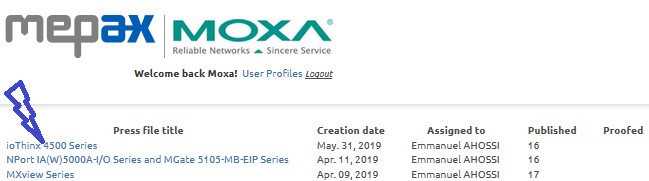
By clicking on a press file title as shown above in blue they can consult their own press file manager below.
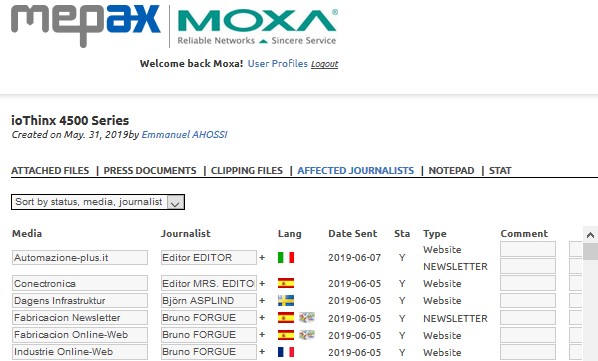
- In Affected Journalist: they can see the media listing we have created for this PR.
- In Attached Files: they can consult or download the images we are using for this PR.
- In Press Documents: they can download each PDF language version.
- In Clipping Files: they can consult or download each clipping uploaded in PDF or JPG.
- In Stat: They have an overview of the journalists who have accessed this PR.
-
Archived
About the Archived Press files, they can do exactly the same things as In Progress except that all the press files they can consult are former and for that reason they are archived in the system.