
Boiler Plate
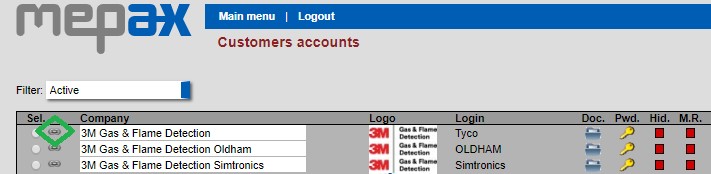
The boiler plate includes a brief introduction of the company. You directly access this section under Administration tasks by clicking on Customers (accounts). And then click on the icon below in green corresponding to your customer.
Then you directly access the customer profile and go to the bottom of the page and click on show in the boiler plate section as highlighted in blue:
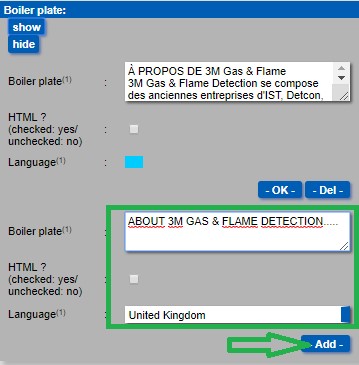
- Copy and paste company introduction, select the language, then click on add as shown above in green. Now your boiler plate is created, I recommend that you upload all boiler plate versions per countries if possible before creating a press release.